
Patient Texting that actually integrates
Send HIPAA-compliant texts, securely share files, and let AI summarize patient requests and route messages—all from inside your EHR.
Over half a million messages are sent each year through DashQuill

How it works
Simple, secure messaging in three steps
Setup your phone number
Our team will provide a new number at no extra charge, or can reuse an existing office number if you prefer.
Message from your EHR
Manage all conversations from your EHR, or open a chat directly from any patient's chart. Patient contacts sync automatically.
Patients reply instantly
Patients receive text messages from your office's phone number and can reply right away. No apps or accounts required.
AI that understands what patients need
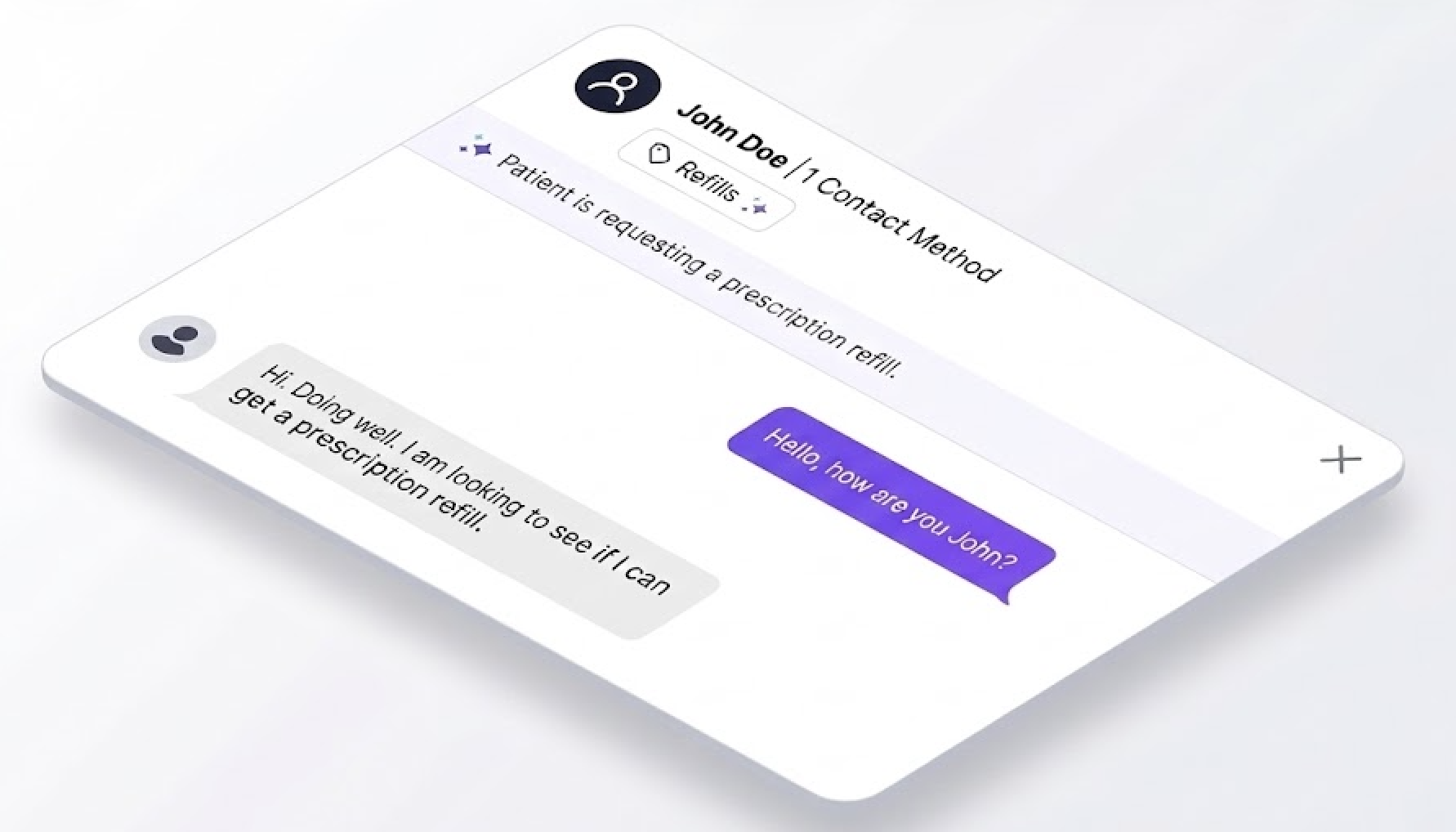
DashQuill's AI reads incoming messages, provides a quick summary of the patient's request, and automatically tags conversations for the right staff member or department.
- Summarizes patient messages so staff can triage faster
- Identifies the nature of requests (refills, appointments, billing, etc.)
- Automatically tags conversations for the appropriate person or team
- Reduces time spent reading and manually routing messages
Works right inside your EHR
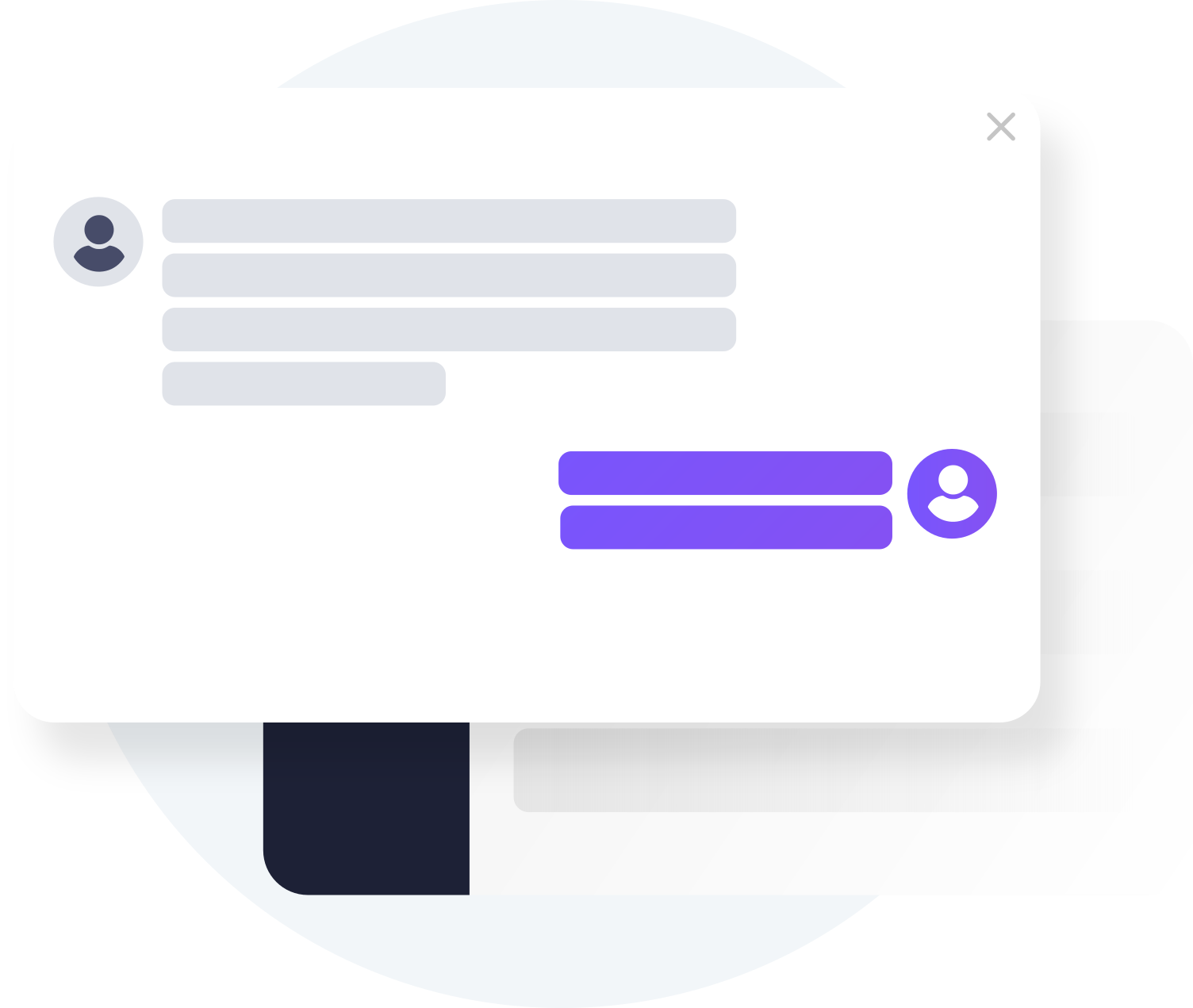
No separate app to open, no contacts to manage. Message patients from their chart or manage all conversations from one inbox embedded in your EHR.
- One-click to open conversations directly from patient charts
- Unified inbox shows all messages for your whole practice
- Patient names and phone numbers sync automatically
- All messages auto-save to the patient's chart
Files go straight to the chart
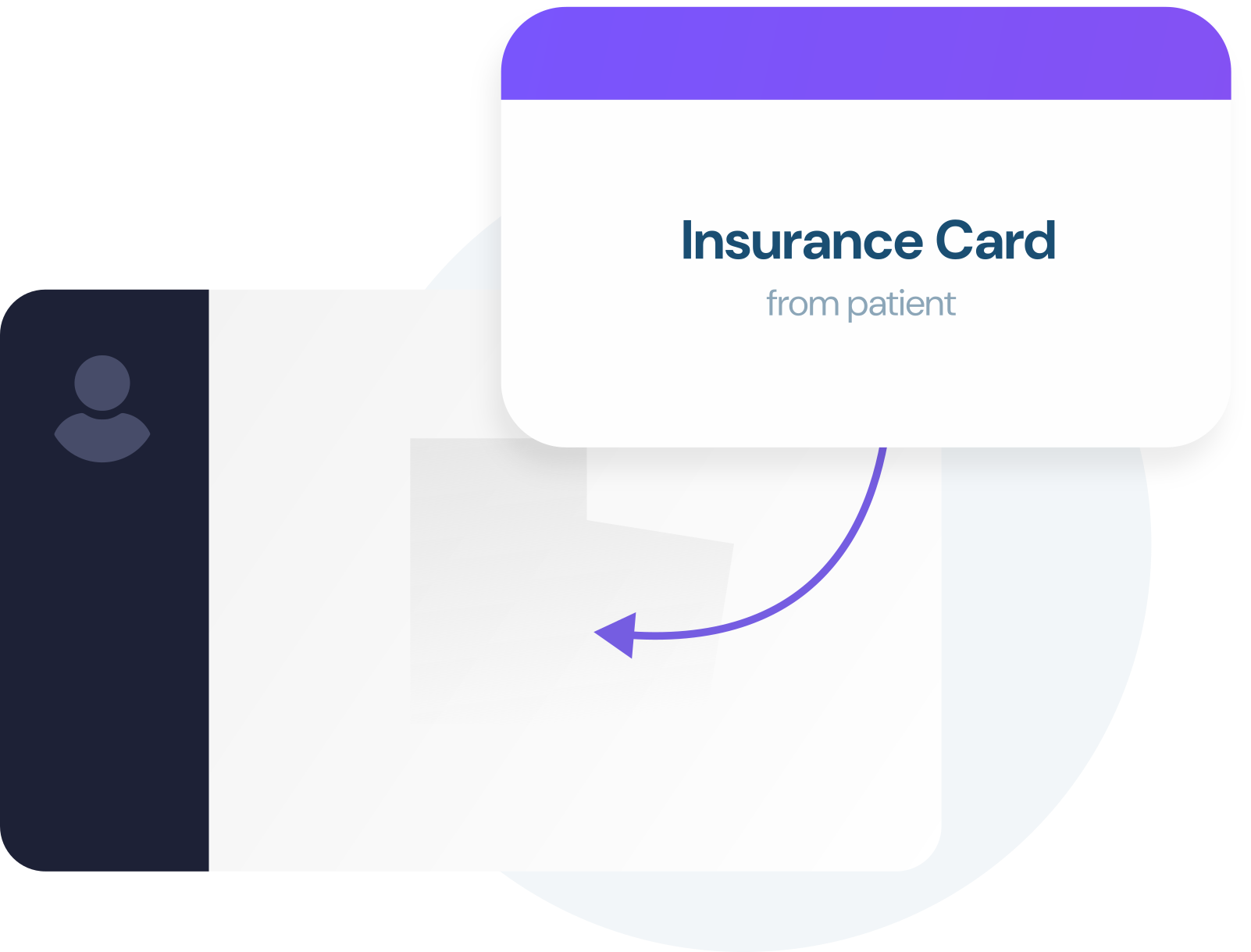
When patients send photos or documents, you can move them to the patient's chart with one click. No downloading to your computer and risking PHI leakage.
- One-click moves patient files to chart documents
- No manual download and re-upload required
- Eliminates PHI sitting on office computers
- Insurance cards, photos, forms all handled seamlessly
Both secure and regular texts
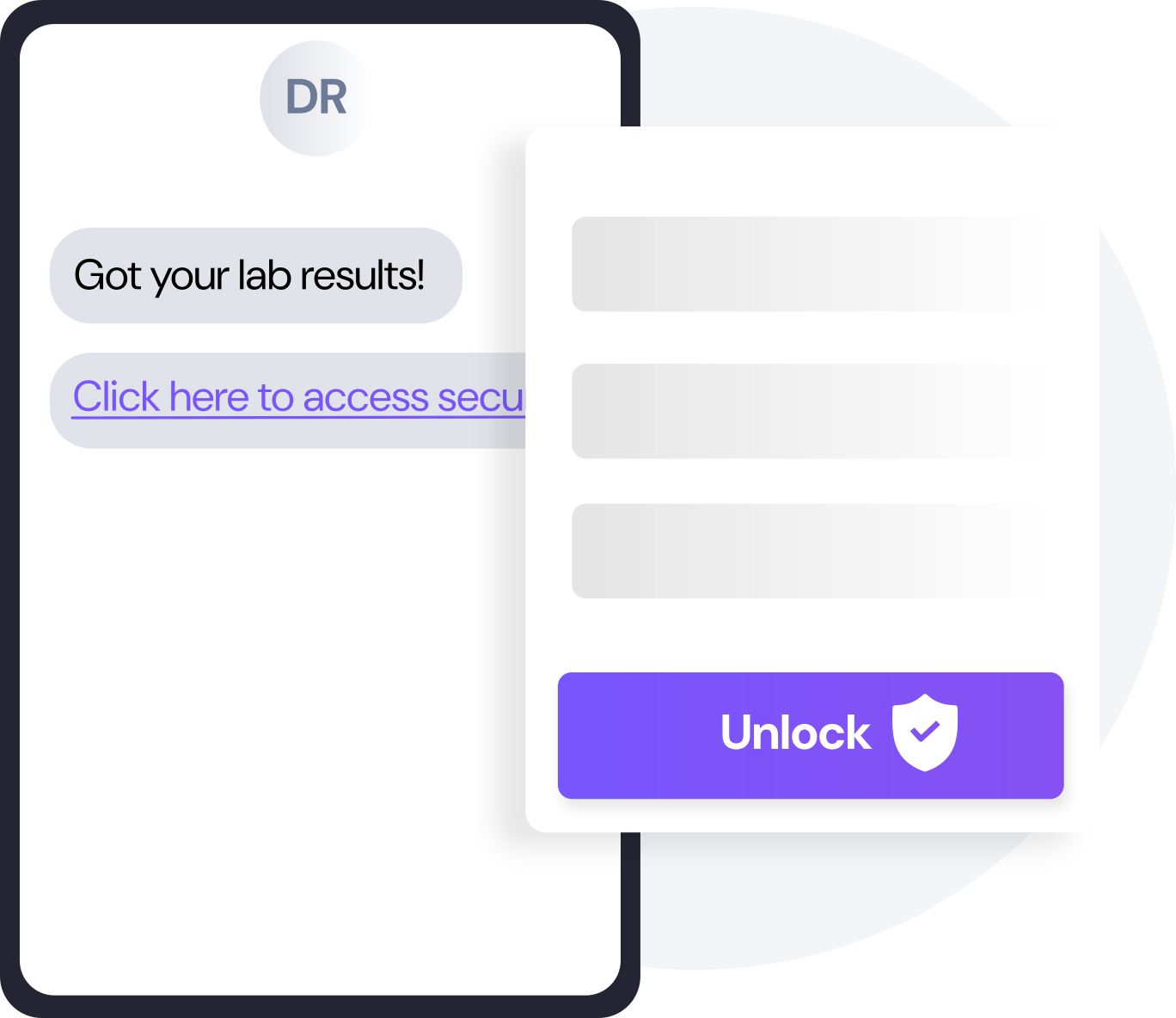
Choose secure (encrypted) texts for sensitive info or regular SMS for non-sensitive messages like appointment reminders.
- Secure texts require patient identity verification
- Regular SMS for appointment confirmations and reminders
- Use your existing office phone number
- No patient portal or app required—just regular texting
What our customers say

Before DashQuill, we had to manually create a contact for every patient in our secure texting system. Now that contacts sync automatically from our EHR, we can reach out instantly without any setup. It's made patient communication far more convenient.
The EHR integration for messaging has been great. It's so convenient having all our patient texts connected directly to their charts. We had a few hiccups when hosting our phone number, but the DashQuill team was incredibly helpful and got everything sorted quickly.

I used to use Google Voice for texting patients, but switched to DashQuill for the added security. The built-in templates have been a really nice bonus!
Before DashQuill, we had to manually create a contact for every patient in our secure texting system. Now that contacts sync automatically from our EHR, we can reach out instantly without any setup. It's made patient communication far more convenient.
The EHR integration for messaging has been great. It's so convenient having all our patient texts connected directly to their charts. We had a few hiccups when hosting our phone number, but the DashQuill team was incredibly helpful and got everything sorted quickly.
I used to use Google Voice for texting patients, but switched to DashQuill for the added security. The built-in templates have been a really nice bonus!
Before DashQuill, we had to manually create a contact for every patient in our secure texting system. Now that contacts sync automatically from our EHR, we can reach out instantly without any setup. It's made patient communication far more convenient.
The EHR integration for messaging has been great. It's so convenient having all our patient texts connected directly to their charts. We had a few hiccups when hosting our phone number, but the DashQuill team was incredibly helpful and got everything sorted quickly.
I used to use Google Voice for texting patients, but switched to DashQuill for the added security. The built-in templates have been a really nice bonus!
Before DashQuill, we had to manually create a contact for every patient in our secure texting system. Now that contacts sync automatically from our EHR, we can reach out instantly without any setup. It's made patient communication far more convenient.
The EHR integration for messaging has been great. It's so convenient having all our patient texts connected directly to their charts. We had a few hiccups when hosting our phone number, but the DashQuill team was incredibly helpful and got everything sorted quickly.
I used to use Google Voice for texting patients, but switched to DashQuill for the added security. The built-in templates have been a really nice bonus!
Before DashQuill, we had to manually create a contact for every patient in our secure texting system. Now that contacts sync automatically from our EHR, we can reach out instantly without any setup. It's made patient communication far more convenient.
The EHR integration for messaging has been great. It's so convenient having all our patient texts connected directly to their charts. We had a few hiccups when hosting our phone number, but the DashQuill team was incredibly helpful and got everything sorted quickly.
I used to use Google Voice for texting patients, but switched to DashQuill for the added security. The built-in templates have been a really nice bonus!
Before DashQuill, we had to manually create a contact for every patient in our secure texting system. Now that contacts sync automatically from our EHR, we can reach out instantly without any setup. It's made patient communication far more convenient.
The EHR integration for messaging has been great. It's so convenient having all our patient texts connected directly to their charts. We had a few hiccups when hosting our phone number, but the DashQuill team was incredibly helpful and got everything sorted quickly.
I used to use Google Voice for texting patients, but switched to DashQuill for the added security. The built-in templates have been a really nice bonus!
Before DashQuill, we had to manually create a contact for every patient in our secure texting system. Now that contacts sync automatically from our EHR, we can reach out instantly without any setup. It's made patient communication far more convenient.
The EHR integration for messaging has been great. It's so convenient having all our patient texts connected directly to their charts. We had a few hiccups when hosting our phone number, but the DashQuill team was incredibly helpful and got everything sorted quickly.
I used to use Google Voice for texting patients, but switched to DashQuill for the added security. The built-in templates have been a really nice bonus!
I used to use Google Voice for texting patients, but switched to DashQuill for the added security. The built-in templates have been a really nice bonus!
Before DashQuill, we had to manually create a contact for every patient in our secure texting system. Now that contacts sync automatically from our EHR, we can reach out instantly without any setup. It's made patient communication far more convenient.
The EHR integration for messaging has been great. It's so convenient having all our patient texts connected directly to their charts. We had a few hiccups when hosting our phone number, but the DashQuill team was incredibly helpful and got everything sorted quickly.
I used to use Google Voice for texting patients, but switched to DashQuill for the added security. The built-in templates have been a really nice bonus!
Before DashQuill, we had to manually create a contact for every patient in our secure texting system. Now that contacts sync automatically from our EHR, we can reach out instantly without any setup. It's made patient communication far more convenient.
The EHR integration for messaging has been great. It's so convenient having all our patient texts connected directly to their charts. We had a few hiccups when hosting our phone number, but the DashQuill team was incredibly helpful and got everything sorted quickly.
I used to use Google Voice for texting patients, but switched to DashQuill for the added security. The built-in templates have been a really nice bonus!
Before DashQuill, we had to manually create a contact for every patient in our secure texting system. Now that contacts sync automatically from our EHR, we can reach out instantly without any setup. It's made patient communication far more convenient.
The EHR integration for messaging has been great. It's so convenient having all our patient texts connected directly to their charts. We had a few hiccups when hosting our phone number, but the DashQuill team was incredibly helpful and got everything sorted quickly.
I used to use Google Voice for texting patients, but switched to DashQuill for the added security. The built-in templates have been a really nice bonus!
Before DashQuill, we had to manually create a contact for every patient in our secure texting system. Now that contacts sync automatically from our EHR, we can reach out instantly without any setup. It's made patient communication far more convenient.
The EHR integration for messaging has been great. It's so convenient having all our patient texts connected directly to their charts. We had a few hiccups when hosting our phone number, but the DashQuill team was incredibly helpful and got everything sorted quickly.
I used to use Google Voice for texting patients, but switched to DashQuill for the added security. The built-in templates have been a really nice bonus!
Before DashQuill, we had to manually create a contact for every patient in our secure texting system. Now that contacts sync automatically from our EHR, we can reach out instantly without any setup. It's made patient communication far more convenient.
The EHR integration for messaging has been great. It's so convenient having all our patient texts connected directly to their charts. We had a few hiccups when hosting our phone number, but the DashQuill team was incredibly helpful and got everything sorted quickly.
I used to use Google Voice for texting patients, but switched to DashQuill for the added security. The built-in templates have been a really nice bonus!
Before DashQuill, we had to manually create a contact for every patient in our secure texting system. Now that contacts sync automatically from our EHR, we can reach out instantly without any setup. It's made patient communication far more convenient.
The EHR integration for messaging has been great. It's so convenient having all our patient texts connected directly to their charts. We had a few hiccups when hosting our phone number, but the DashQuill team was incredibly helpful and got everything sorted quickly.
I used to use Google Voice for texting patients, but switched to DashQuill for the added security. The built-in templates have been a really nice bonus!
Before DashQuill, we had to manually create a contact for every patient in our secure texting system. Now that contacts sync automatically from our EHR, we can reach out instantly without any setup. It's made patient communication far more convenient.
The EHR integration for messaging has been great. It's so convenient having all our patient texts connected directly to their charts. We had a few hiccups when hosting our phone number, but the DashQuill team was incredibly helpful and got everything sorted quickly.
Frequently Asked Questions
Yes. DashQuill Messaging is HIPAA compliant. We follow industry best practices such as encrypting PHI in transit and at rest, implementing strict access controls, performing regular data backups, and maintaining robust logging to ensure data security and accountability. As part of our standard onboarding process, we'll sign a Business Associate Agreement with the office. For more details about our security measures, visit our HIPAA compliance page.
DashQuill's AI reads incoming patient messages and generates a brief summary of each request, helping staff triage faster. It identifies the nature of the request—such as refill requests, appointment inquiries, or billing questions—and automatically tags conversations for the appropriate person or team. This reduces time spent reading and manually routing messages.
Yes. All AI processing occurs within DashQuill's secure, HIPAA-compliant infrastructure. Message content is never shared with third parties, and all AI features are fully covered under our Business Associate Agreement. The same encryption, access controls, and audit logging that protect your messages also apply to AI processing.
Most texting services require staff to manually create patient contacts and manage conversations in a separate tab or website. With DashQuill, patient contacts sync automatically from the EHR—no manual setup required. All conversations happen directly within the EHR, so staff can message from a patient's chart or manage everything from one unified inbox without switching systems.
Secure messages send the patient a link to a secure conversation that requires identity verification before viewing. Regular SMS sends a plain text message with no verification step. Use secure messages for sensitive information like lab results or billing details, and regular SMS for non-sensitive messages like appointment reminders or office updates.
Either option is available. Most offices use two-way messaging—staff send messages and patients can reply with questions or confirmations. However, if one-way notifications are preferred (patients cannot reply), the service can be configured that way during setup.
No. Patients receive regular text messages from the office phone number and can reply just like normal texting. No patient portal login, no account creation, no app download required—even for encrypted secure messages, patients access everything from their browser.
Yes. We can host just the SMS portion of an existing phone number—phone calls continue to work exactly as before. Alternatively, a new phone number can be provided at no extra charge if keeping voice and texting separate is preferred.
When a patient sends a file, it appears in the conversation inside the EHR. One click moves it directly to the patient's documents in their chart—no downloading to a computer and re-uploading required, which eliminates the risk of PHI sitting on office computers.
If purchasing a new number, setup can be completed in as quick as a few days. However, if porting or hosting an existing number from a current carrier, the process may take longer. Our team will be there to support the office along the way and explain the process, including EHR integration and staff training.
Ready for smarter patient messaging?
Join hundreds of practices using DashQuill's AI-enabled messaging to improve patient satisfaction and reduce phone volume.